
Viramuse AI Video Generator
Astramind Solutions Inc.Photography
2.66.00 Reviews
- Version
- 1.3.2
- Installs
- 10.00K
- Age Rating
- Teen
Screenshots
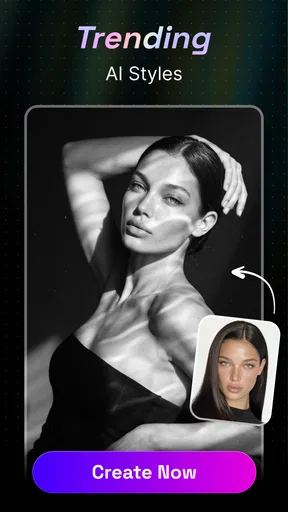
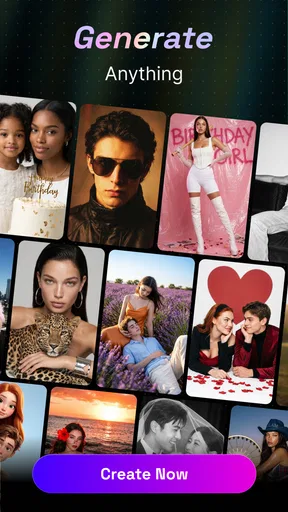
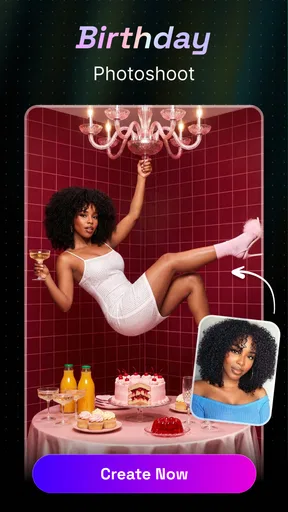
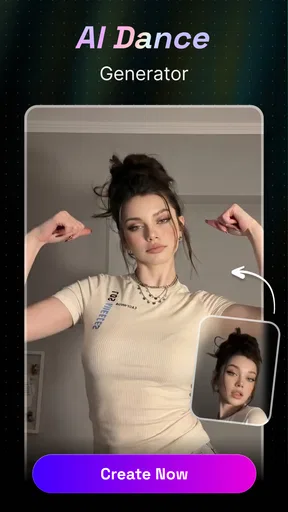
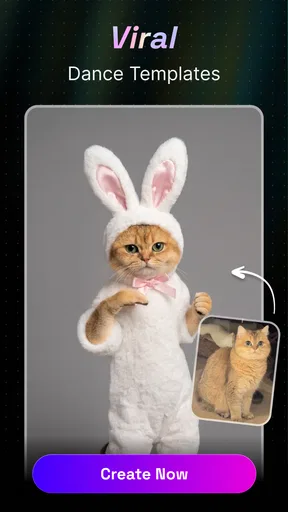
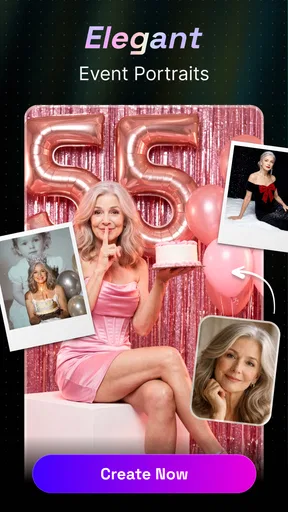
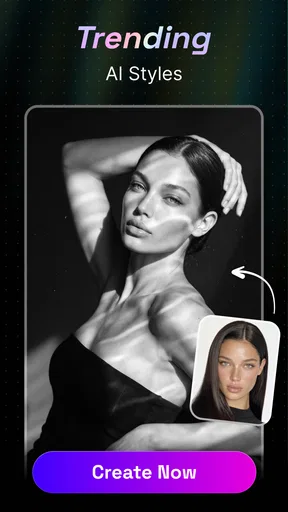
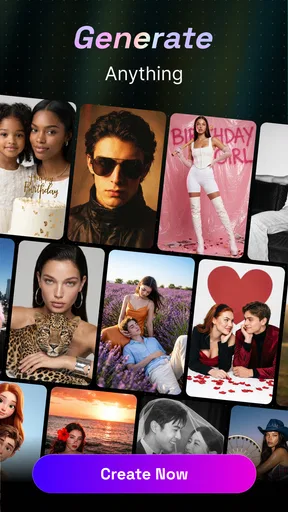
Our Review of Viramuse AI Video Generator
 Analysis by Appyee
I approached Viramuse AI Video Generator as a photography app for turning still images into short, stylized videos. Its main appeal is obvious: instead of learning a full video editor, I can begin with photos and let the app’s AI-driven templates, filters, and visual styles provide the movement and atmosphere. That makes it interesting for quick social posts, memory clips, profile content, and small creative experiments.
My overall impression is mixed. The concept is approachable, especially for someone who has a camera roll full of pictures but little patience for a timeline editor. At the same time, the modest average rating of 2.6 from roughly 27 ratings suggests that the experience may not feel equally smooth for everyone. I would treat it as a convenient creative tool to test rather than an automatic replacement for a mature video editor.
How the app feels to use in everyday situations
I find the everyday appeal less in making a polished video on demand and more in having a low-pressure way to test whether a handful of photos can tell a livelier story. I’d start with copies or easily replaced images, then compare a restrained style with a more dramatic one before deciding what fits the moment. That small, deliberate routine also makes it easier to judge whether the novelty becomes something I’ll return to.
Readability and navigation shape the first impression
The most important thing about an AI photo-to-video app is whether the path from image selection to finished result feels understandable. Viramuse is built around a simple idea, so I would expect the strongest experience to come when I can choose a photo, pick a visual direction, preview the result, and decide whether it is worth saving. That focused workflow is much less intimidating than opening a traditional editor filled with tracks, trimming handles, keyframes, and adjustment panels.
For a first-time user, the template-based approach can reduce decision fatigue. Rather than asking me to invent every transition, I can start with a recognizable style and judge the result visually. This is particularly useful when I want to make something quickly for a birthday message, a travel recap, or a casual post. I do not need to understand video terminology before trying an idea.
However, simplicity can become frustrating if the app does not explain what each style will do. A label such as a mood or trend name may sound attractive but still leave me unsure whether it will crop faces, add strong movement, change the color dramatically, or work best with one image rather than several. I found it useful to treat the first generation as a preview of the template, not as the final creative decision.
My practical advice is to begin with a small, carefully chosen group of photos instead of importing an entire event. Select images with a clear subject, similar lighting, and enough empty space around the main person or object. AI animation tends to look more coherent when the source images already share a visual relationship. This also makes it easier to compare styles without losing track of which photo caused an unwanted result.
Readability matters beyond text size. A good experience should make the primary action obvious, keep controls visually distinct, and avoid forcing me to remember where a tool was located. For users who are less comfortable with fast-moving interfaces, a template workflow is potentially friendlier than a conventional editor, but only if the preview, generation, and save stages are clearly separated.
Motor and sensory considerations deserve realistic expectations
For people with limited fine-motor control, a photo-based workflow may be easier than editing video frame by frame. Choosing a picture and selecting a style generally requires fewer precise gestures than dragging several clips into exact positions. The app’s appeal is strongest when I can make a meaningful result with broad taps rather than repeated tiny adjustments.
That advantage has limits. AI video creation often involves waiting, previewing, rejecting, and trying again. If a user has difficulty performing repeated taps, scrolling through many visual options can become tiring. A style browser is most usable when choices are not crowded together and when the selected state is easy to recognize. I would also avoid building a project around constant experimentation if the user needs a very low-effort process.
Visual effects can also affect sensory comfort. Filters and animated styles may introduce rapid movement, intense color changes, or dramatic transitions. These can be fun for a short social clip, but they may be uncomfortable for people sensitive to flashing imagery, motion, or high contrast. My safer workflow is to preview every result before sharing it, especially when the video will be watched by children, older relatives, or people who have asked for calmer visual content.
Audio is another practical consideration, even when the starting point is photography. A video that looks attractive with sound may communicate poorly when muted, while a viewer with hearing loss may need the visual sequence to carry the message on its own. For a simple greeting or announcement, I would keep the important information in the images or accompanying caption rather than relying on an implied soundtrack or mood.
People with color-vision differences may not distinguish every filter change in the same way as other viewers. That does not make the app unusable, but it does make composition, contrast, and facial clarity more important than subtle color grading. I would judge a result by whether the subject remains recognizable, not merely by whether the effect looks dramatic in the preview.
Situational access is where the concept makes the most sense
Viramuse is well suited to moments when I have photos but no time to produce a polished video manually. Imagine taking several pictures during a family gathering and wanting to send a short recap before the evening ends. A template can give those images rhythm and personality without requiring me to learn editing software. The same workflow works for a small shop owner preparing a visual post from product photos, provided the result is checked carefully before publication.
It can also help when attention is limited. If I am commuting, working between appointments, or creating content from a phone rather than a computer, the app’s narrow focus is useful. I can experiment with a visual idea without carrying the mental load of a full production workflow. This is one of the clearest reasons to choose it over a desktop editor.
There is a trade-off between speed and control. A template can produce an appealing result quickly, but it may decide the pacing, framing, and visual emphasis for me. If the exact order of images matters, or if I need every face and caption to remain visible, I would rather use a conventional editor. Viramuse is more convincing for expressive snippets than for precise storytelling.
The app may also be useful for users who feel blocked by a blank canvas. Starting with a style gives me a direction, and that can turn a folder of unused photos into a finished experiment. I found that the best results come from using the template as a starting point, then rejecting anything that distorts the subject or makes the message harder to understand. AI assistance should reduce effort, not remove judgment.
Because it is free to install, the barrier to trying the basic experience is relatively low. The commercial model still needs attention: in-app purchases range from $0.99 to $199.99 per item. I would not assume that every desirable style or generation option is included without checking the purchase screen carefully. Anyone sharing a device with a child should be especially cautious around purchase confirmation and the Teen content rating.
Where it compares well with familiar alternatives
Compared with a standard gallery slideshow, Viramuse offers a more expressive starting point. A normal slideshow is predictable and often requires me to choose transitions, timing, and presentation manually. The AI-oriented approach can make a still image feel more animated and contemporary, which is useful when a plain sequence looks too static.
Compared with a full mobile video editor, Viramuse is likely to feel less demanding. Traditional editors are better when I need exact trimming, layered text, detailed audio control, or a carefully timed narrative. They also reward patience and planning. Viramuse’s advantage is the opposite: it lowers the number of creative decisions needed to get a first draft.
Compared with social platforms’ built-in creation tools, a dedicated photography app can offer a more focused place to experiment before posting. That separation is valuable when I want to review a result privately. Still, social apps may be more convenient for immediate publishing, current platform formats, and familiar sharing steps. I would choose Viramuse when the visual transformation matters more than the shortest route to a post.
The developer, Astramind Solutions Inc., positions this product in a crowded area where polish matters enormously. With over 10 thousand installs, it has attracted an initial audience, but the small review base means I would not treat the current rating as a complete verdict on every device or workflow. I would use the app for low-stakes projects first and decide whether its results justify a larger role in my routine.
Remaining barriers before I would rely on it
The biggest barrier is predictability. AI-generated motion can be attractive when it respects the source image, but a result that crops a person, changes the visual balance, or emphasizes the wrong object can take longer to fix than a manual edit. I recommend keeping the original photos untouched and saving only the versions I have reviewed. That simple habit prevents an experimental generation from becoming the only copy of an image.
Another barrier is the learning curve hidden inside apparent simplicity. A small number of controls does not necessarily mean every outcome is easy to understand. Users may need to test which photo shapes, subject positions, and lighting conditions work best with each style. I would not judge the app after one failed attempt, but I also would not spend a long afternoon repeatedly regenerating the same unsuitable image.
Purchase decisions are a separate source of friction. The wide range of possible item prices means I would pause before confirming anything, particularly if the app presents premium creativity as an immediate next step. A free entry point is helpful, but it does not automatically make the complete experience free. For families, this deserves a conversation before anyone starts exploring.
Device compatibility is another practical checkpoint. The app requires Android 7.0 or later, so older phones may be excluded even if they can still run other photography tools. AI video processing can also be demanding in general, and a user with limited storage, battery, or patience for processing delays may prefer a simpler slideshow maker. I would test it on the actual phone intended for regular use rather than assuming that a successful installation guarantees a comfortable workflow.
Users who need dependable accessibility features should also evaluate the interface personally before committing. I would look for clear control labels, adequate contrast, predictable focus behavior, and a workflow that remains understandable with device-level text or display adjustments. I would not describe the app as certified for any particular accessibility standard; the sensible approach is to test the specific needs of the person using it.
Who should try it, and who should choose something else
I think Viramuse is worth trying for casual creators, photo-focused social users, and people who want a quick visual experiment without mastering a timeline. It is especially appealing if the goal is a short mood piece, a playful transformation, or a fast recap made from images already on the phone. The Teen rating also signals that families should consider whether its visual effects and purchase flow are suitable for younger users.
I would be more cautious about recommending it to professional creators, businesses that need consistent brand output, or anyone producing videos with exact accessibility requirements. Those users usually benefit from reliable control over timing, text placement, contrast, audio, and export decisions. A template-driven result can be a useful draft, but it may not be dependable enough as the final production tool.
The current version is 1.3.2, and that makes it sensible to check the app after updates rather than assuming that one experience will remain unchanged. New templates can improve variety, while interface changes can alter how easily different users reach the same result. I would keep a familiar alternative available until Viramuse proves reliable for the projects that matter.
My inclusive verdict after weighing convenience against control
Viramuse AI Video Generator has a clear strength: it gives ordinary photos a faster route into video-style storytelling. I like the idea of using templates and visual styles to overcome the blank-page problem, and I can see genuine value for quick personal clips made under time pressure. Its photography focus makes more sense to me than asking a new user to learn a complete editing suite.
Its weaknesses are equally important. The result may require careful checking, sensory-heavy effects may not suit every viewer, and the purchase range means I would examine each paid option before proceeding. The limited rating history also tells me to keep expectations measured. This is an app I would explore with low-stakes images, not one I would immediately trust with an important campaign or irreplaceable workflow.
My recommendation is to try it when speed and playful experimentation matter more than precise editing control. Choose a different mobile editor when you need dependable timing, detailed captions, calmer visual presentation, or a fully predictable result. For users with varied abilities and contexts, the app can lower some motor and creative barriers, but inclusive use still depends on previewing effects, checking readability, protecting original photos, and confirming that the interface suits the individual person.
As a free photography app from Astramind Solutions Inc., Viramuse has enough of a focused idea to deserve a cautious test. I would keep the first project short, use clear source images, review every generated frame, and avoid treating the most dramatic template as automatically the best one. Used that way, it can be a handy creative shortcut rather than a frustrating substitute for tools built around complete control.
Verdict
Strengths of Viramuse AI Video Generator
- Turns simple text prompts into short videos with minimal editing skills.
- Useful for creating social media content, ads, and quick visual concepts.
- AI-generated visuals can help users explore creative ideas rapidly.
- Cloud-based workflow avoids requiring powerful video-editing hardware.
- Suitable for experimenting with different styles and video concepts.
Limitations of Viramuse AI Video Generator
- Results may vary significantly depending on the clarity of the prompt.
- Generated characters, objects, or text can contain visual inconsistencies.
- Advanced exports or features may require a paid subscription.
- Rendering times can increase during busy periods or for complex requests.
- Users may have limited control over precise camera movement and scene details.
Similar Picks in This Category
View All
Google Photos
Google LLC4.4

Gallery
Google LLC4.2

Picsart AI Photo Editor, Video
PicsArt, Inc.3.9

B612 AI Photo&Video Editor
SNOW Corporation4.1

BeautyPlus-Selfie Photo Editor
PIXOCIAL TECHNOLOGY (SINGAPORE) PTE. LTD.4.5

Remini - AI Photo Enhancer
Bending Spoons4.1
Frequently Asked Questions
What is Viramuse AI Video Generator, and what can it create?
Viramuse AI Video Generator is designed to help users produce short videos with the assistance of artificial intelligence. Depending on the available tools and plan, you may be able to generate visuals from text prompts, animate images, create social media clips, and add effects, music, captions, or transitions. It is aimed at both beginners and creators who want to speed up video production without advanced editing skills.
Is Viramuse AI Video Generator free to use?
Viramuse may offer free access or a limited trial, but some features can require credits, a subscription, or an in-app purchase. Free usage may also include restrictions such as shorter exports, fewer generation attempts, lower resolution, watermarks, or limited templates. Before creating a large project, check the current pricing page and confirm what is included in the selected plan, since availability and limits can change.
Do I need video-editing experience to use Viramuse?
No advanced editing experience is generally required. The app is built around guided tools, prompts, templates, and automated generation, allowing users to begin with an idea, image, or written description. However, getting consistent results may require some experimentation with wording, image selection, timing, and style settings. Users who want precise professional edits should also verify whether the app provides a full timeline and manual adjustment controls.
Can videos made with Viramuse AI Video Generator be used commercially?
Commercial use depends on Viramuse’s current terms of service, the subscription tier, and the source material used in the project. AI-generated content may still involve restrictions related to music, stock assets, fonts, logos, celebrity likenesses, or copyrighted images. Review the licensing conditions before using a generated video for advertising, client work, monetized channels, or business promotion, and make sure every uploaded asset is yours or properly licensed.
What should I know about privacy and uploaded content?
Before uploading personal photos, private footage, confidential documents, or client material, read Viramuse’s privacy policy and content-handling terms. AI video services may process files on remote servers, retain projects for a limited period, or use data to operate and improve their systems. Check the required permissions, account settings, deletion options, and whether generated or uploaded content is used for training before sharing sensitive material.
